Context: Personal project within a UI/UX design program.
My Role: User Research, UX Strategy, and UI Design.
Duration: 4 Weeks.
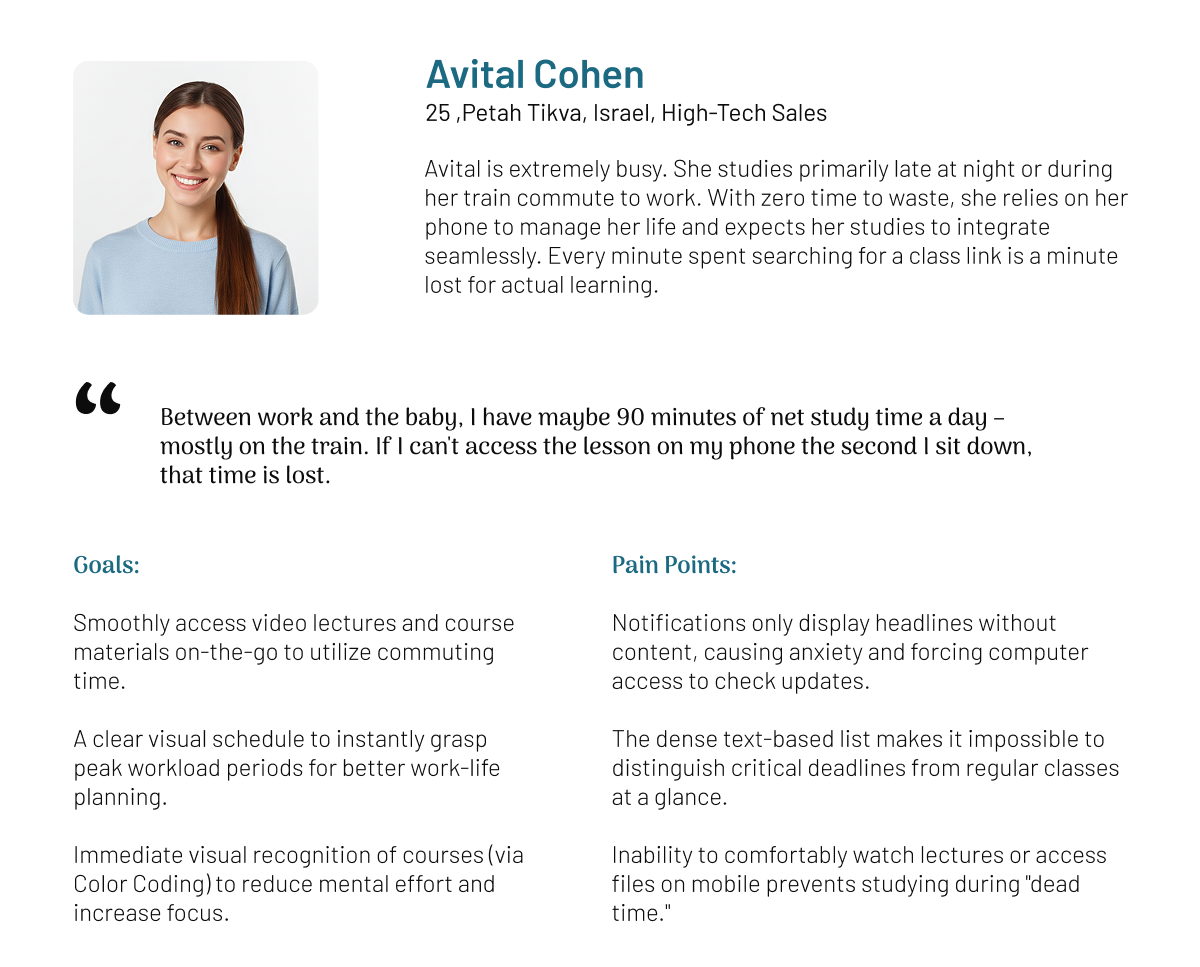
The Motivation: The decision to focus on the Open University app stemmed from close observation of an active end user and witnessing his daily frustration with a platform that fails to adequately support remote learning.
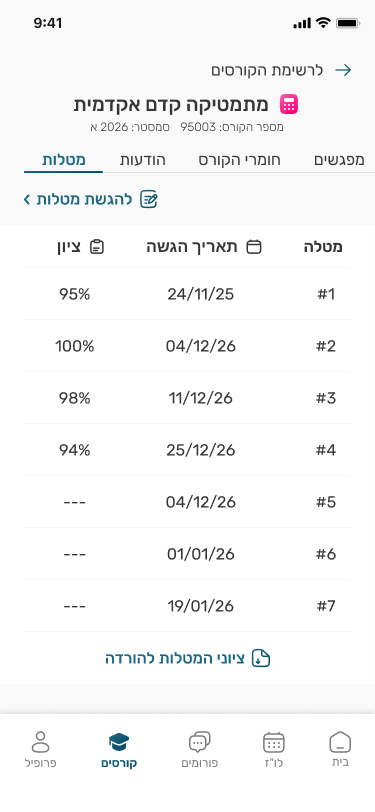
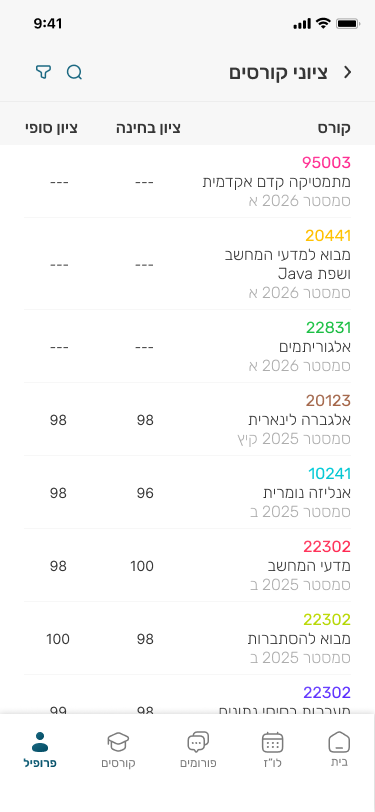
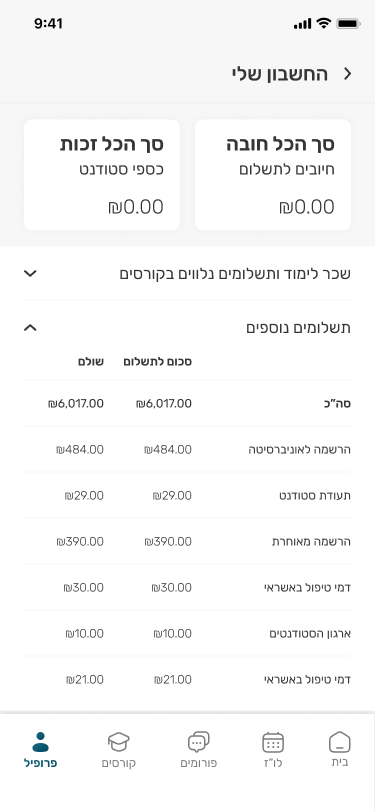
Missing Content: The app suffers from severe data gaps and lacks essential study materials, rendering it practically useless for daily learning.
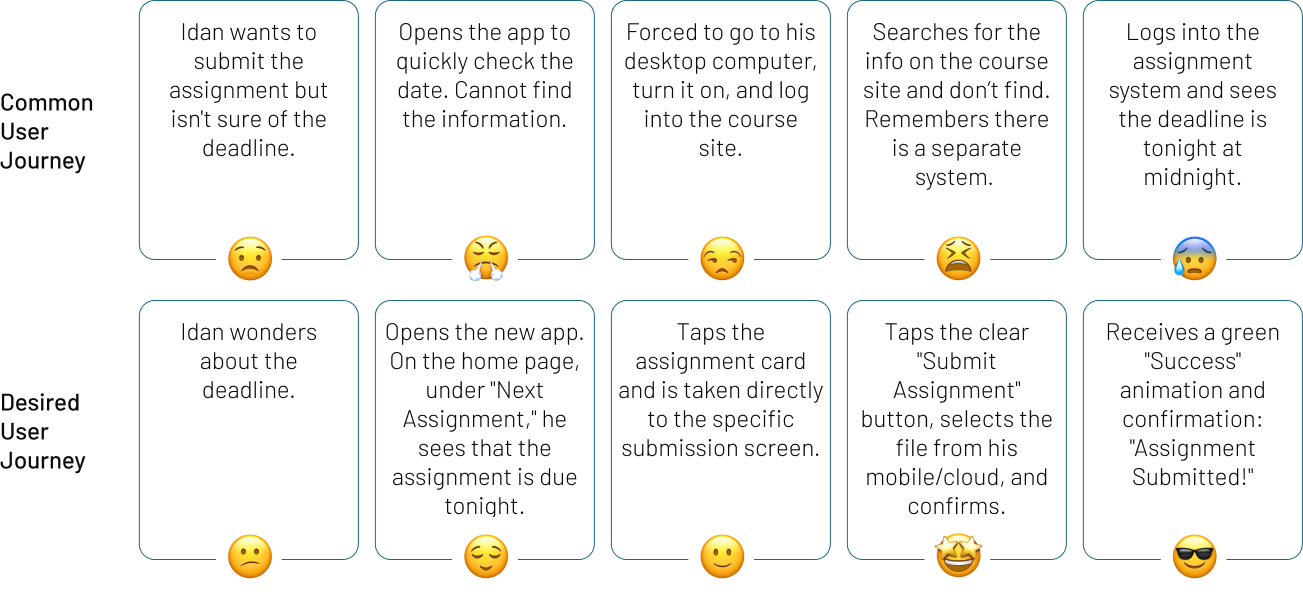
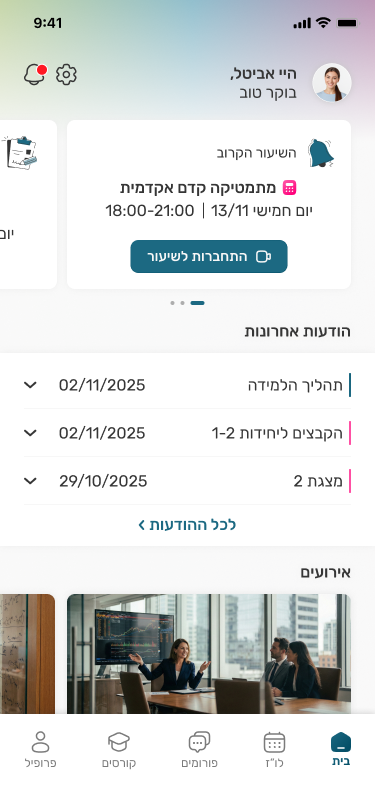
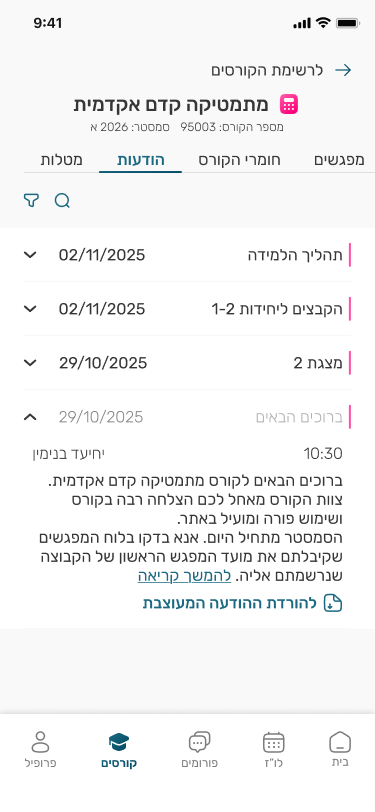
Incomplete Messages: Notifications display only headers without the actual message content, forcing users to switch platforms just to read updates.
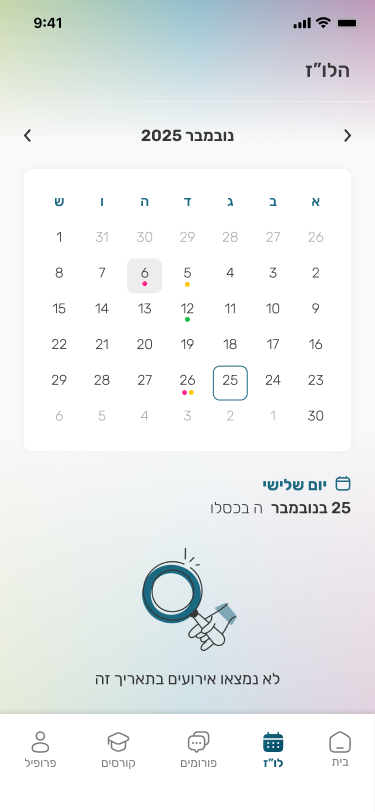
Unintuitive Schedule: The calendar interface is cluttered and non-visual, making it difficult for students to grasp their schedule at a glance.
Class Link: Zoom links are buried deep within the website hierarchy, making them inaccessible for quick retrieval right when class starts.
Rating & reviews: The app holds an average score of only 2.6 stars. reviews revealed recurring patterns of complaints regarding "empty states," a general feeling that "nothing can be done" within the app. even a student offered to develop a new app for the university for free. Users perceive the tool as lacking tangible value for them.
User Interviews: Direct feedback from current students revealed a high rate of abandonment. Users reported avoiding the app entirely, describing it as "non-functional" due to insufficient data, unclear information, and a lack of tangible value for their studies.or free. Users perceive the tool as lacking tangible value for them.
EdTech Inspiration (e.g., Udemy): For insights on engaging content presentation and progress tracking.
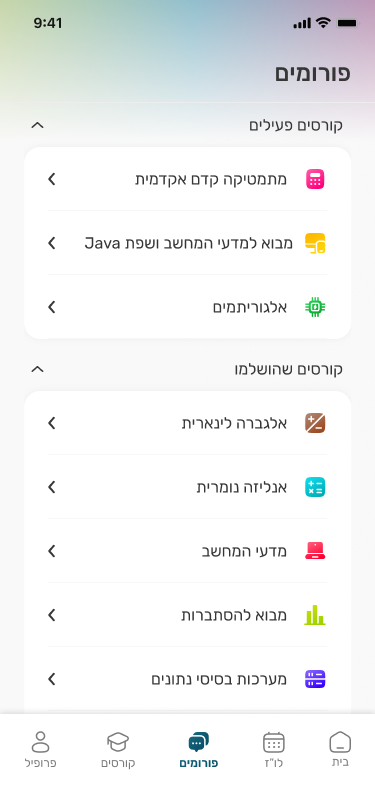
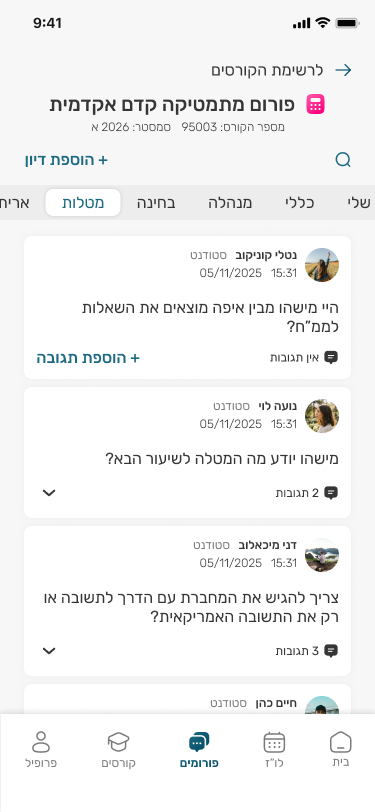
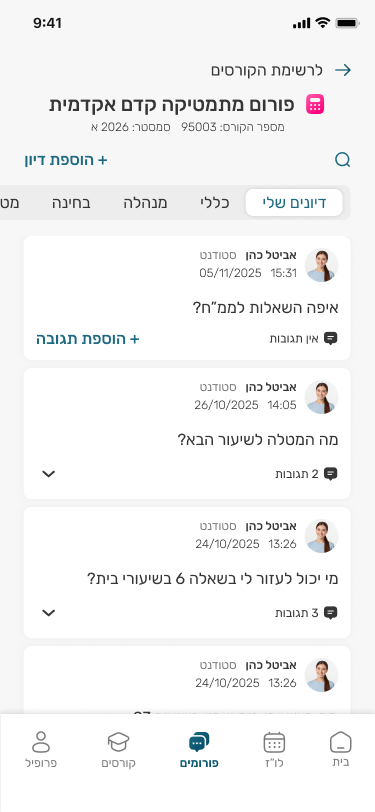
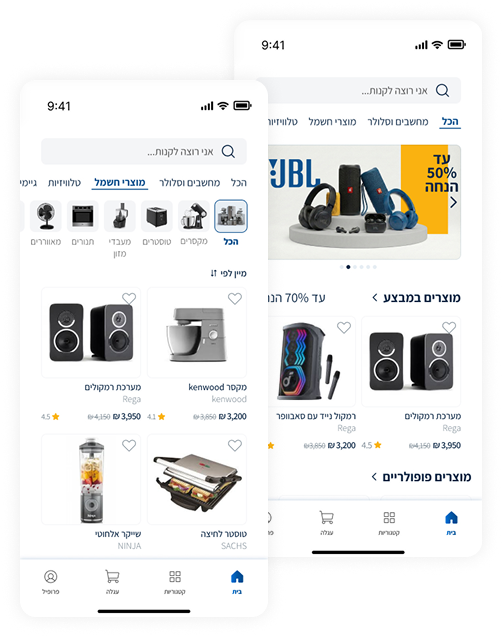
Data-Rich Interfaces: For efficient UI solutions regarding messaging, calendars, and forums.


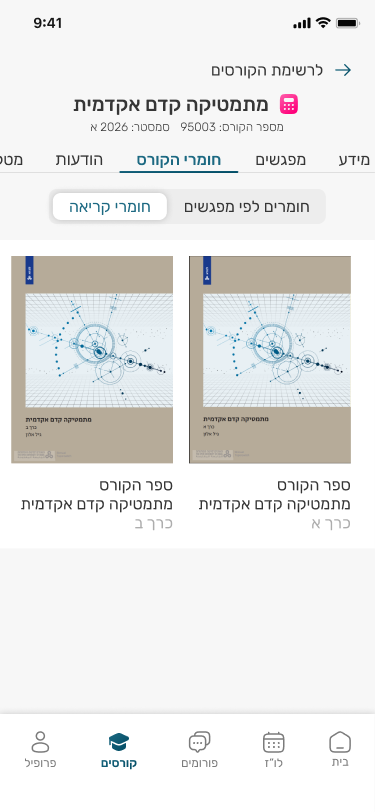
Active Learning: The app must enable students to utilize downtime for actual study progress. Therefore, I ensured direct access to course materials and recordings.
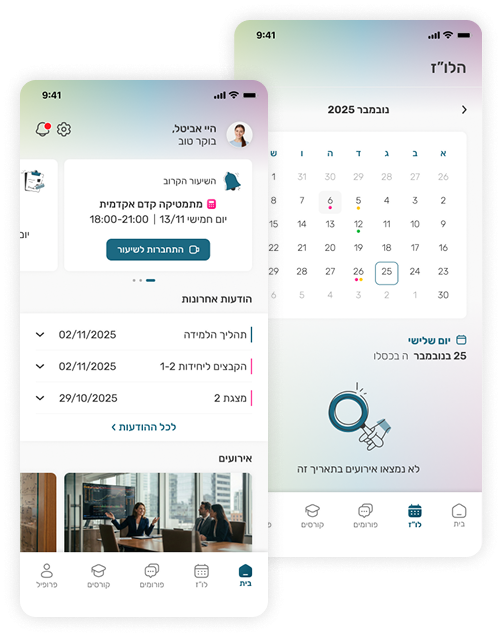
Visual Calendar: A visual schedule is vital for effective time management, allowing students to instantly distinguish between routine classes and critical assignment deadlines at a glance.
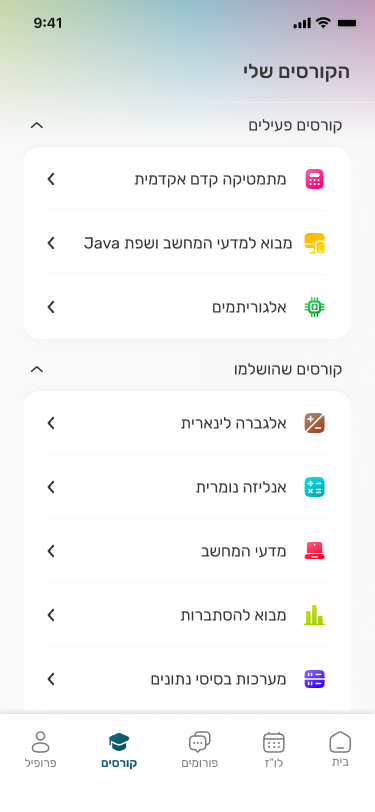
Color Coding: To reduce cognitive load, the interface uses a consistent color system for each course. This allows students to recognize the context of any item instantly without needing to read the details.
Surfacing Key Info: Displaying the most relevant real-time information such as the "Join Class" link or an upcoming deadline front and center for immediate access.
Lesson-Based: Dedicated folders centralizing recordings, materials, and relevant forum threads.
General Repository: Direct access to textbooks and workbooks.