Feature

WhatsApp

Status Group Management

Context: Personal project within a UI/UX design program.
My Role: User Research, UX Strategy, and UI Design.
Duration: 3 Weeks.
The Motivation: The choice of this project stemmed from my own frustration trying to manage changing audiences for my Status. I wanted to easily switch between sharing with friends, family, or neighbors, but the current system cumbersome and restrictive.

Background & Problem Statement

The Status Privacy Challenge
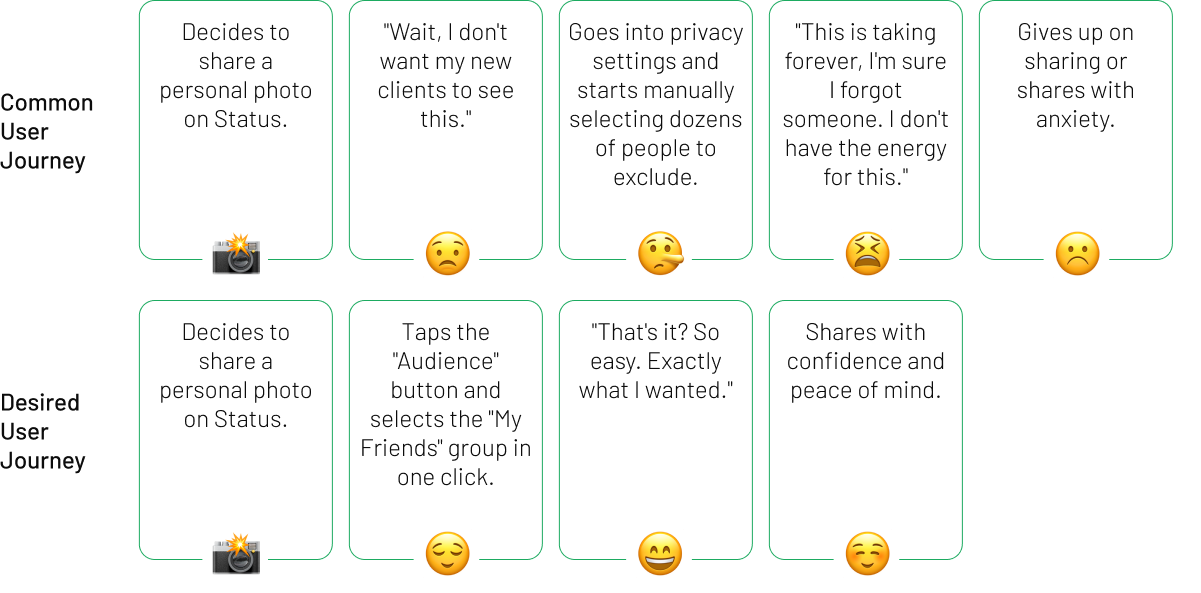
Currently, managing Status privacy is a binary and tedious process (sharing with everyone or manually excluding individuals), leading many users to avoid sharing personal moments altogether.

Research

Market Research
I examined content separation models in other social networks (e.g., Instagram's "Close Friends" feature) to understand existing user mental models for selective sharing.
User Research
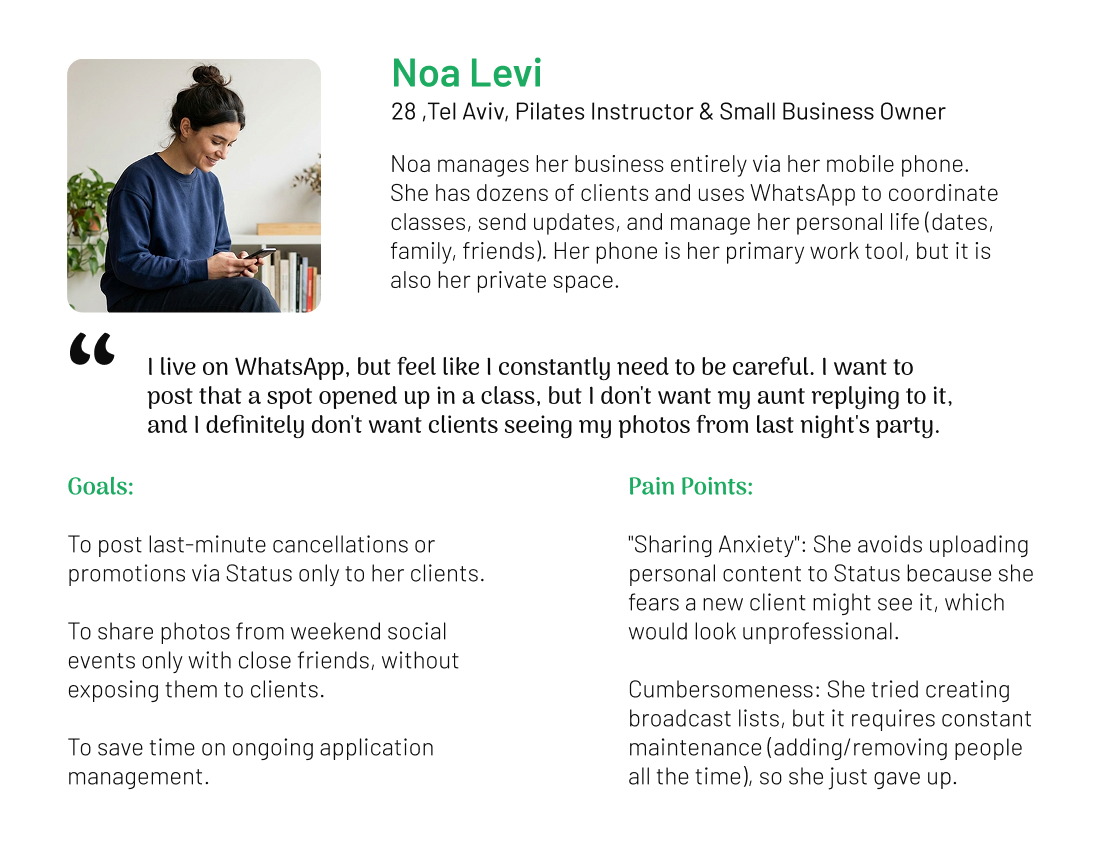
To understand the human experience behind the technical problems, I conducted a series of in depth interviews and conversations with "Hybrid" Users: Freelancers, small business owners, and students whose mobile phones serve a mix of personal and professional life.
persona
User Journey: Posting Status to a Specific Audience

Key Insights

Status privacy should utilize the user's existing WhatsApp groups instead of requiring them to build new lists from scratch.

The Solutions

To approach the solution in a focused manner, I formulated key question that guided the design process:

The Goal

How might we enable users to share personal moments with specific audiences, without the process feeling exhausting or cumbersome?

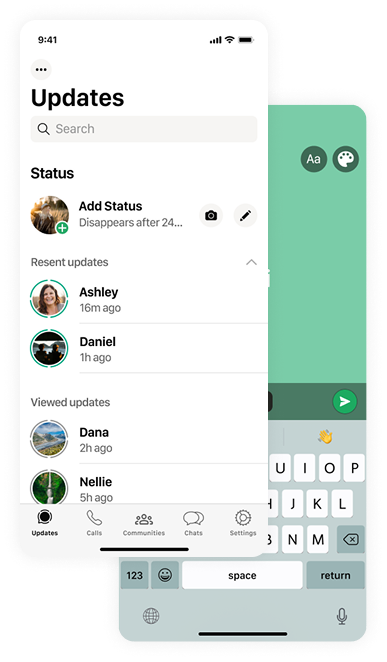
Smart Audience Lists (Status Audience Management)

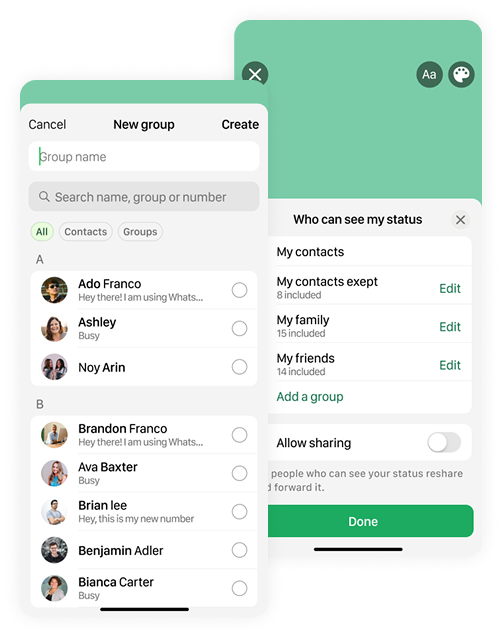
I designed a new user flow that aligns with users' existing mental models of their social circles, enabling the creation and management of permanent, reusable viewing groups.
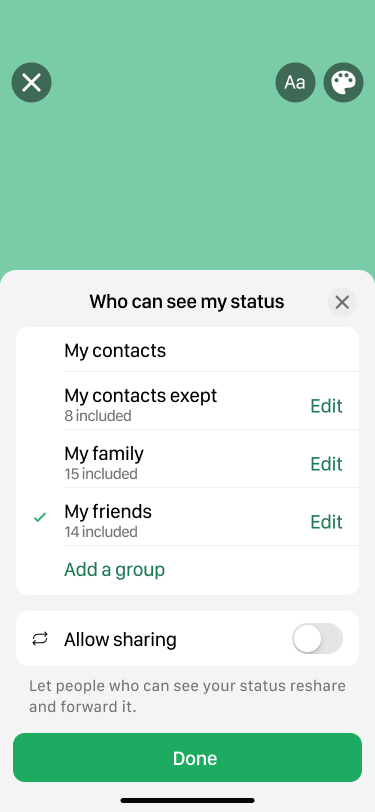
Quick Selection
Choosing an Audience While Posting In real-time, just before sharing a new Status, users can select their desired pre-defined audience group with one simple click. This quick selection removes anxiety and provides immediate confidence, ensuring users know exactly who will see their content and encouraging spontaneous sharing.
Creating New Audience Groups
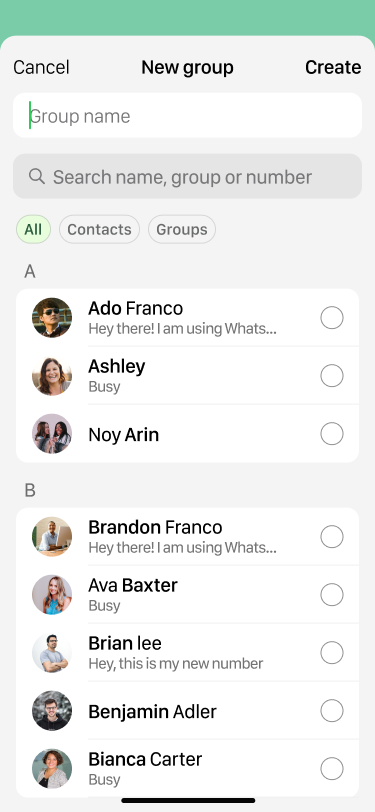
This feature enables users to establish permanent, personalized audience groups tailored to their specific needs (e.g., "My Friends," "Family").
Smart Import
This function streamlines populating these groups by allowing users to combine individual contacts with existing chat groups, thereby eliminating the need for tedious manual selection.

Conclusion & Reflection

What did I learn?

The trick is not just to design a new feature, but to make it feel like it was always there. The big challenge was to take complex functions and integrate them into WhatsApp’s minimalist interface, while cleverly using the tools that already exist in the app.

Try it yourself

Feature

WhatsApp

Message Translation
© 2026
TopDesign.
+1 848 318 6585